
A visual timeline of recent task executions. By default, it loads the last 24 hours.
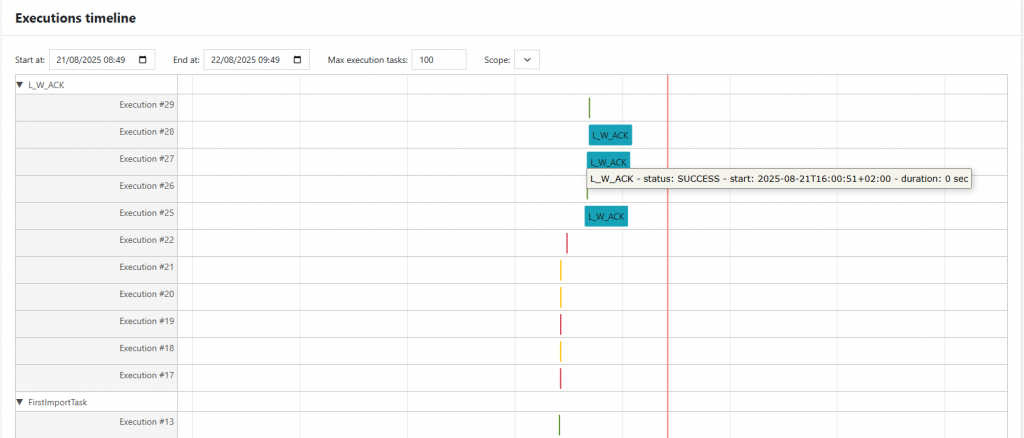
What you see
- Grouped by task (collapsible rows). Use the dropdown to focus on a specific task; expand to see all its executions.
- Color-coded markers by status (e.g., success/warning/error).
- Tooltips on hover showing:
- Task name
- Execution ID
- Status
- Start timestamp
- Duration
Controls
- Start at / End at: pick a date-time range (defaults to last 24h).
- Max execution tasks: cap the number of executions rendered (useful for performance).
- Scope: filter by a logical scope (e.g., environment/project/server depending on your setup).
Interactions
- Collapse/expand task rows to focus on specific tasks.
- Hover any marker to inspect details without leaving the page.
Notes
- Timestamps are shown in the UI’s current timezone.
- If purging is enabled in your system, older executions may no longer appear.


