
EAC lets you combine Talend contexts with centralized context files and task-level overrides. This gives you repeatable deployments while keeping sensitive or environment-specific values out of jobs.
When and how to use contexts efficiently
Use contexts to:
- Parameterize your jobs (paths, hosts, credentials, feature flags).
- Promote the same job from dev → test → prod without code changes.
- Centralize values that must be consistent across many tasks.
- Override a few values for a specific task only (without forking context files).
Key rule: Define multiple context groups (by project or environment), but only one effective context set applies per task run (computed by precedence below).
Sources & precedence (low → high)
When EAC prepares a run, each context key is resolved using this order:
- Talend job defaults
The values embedded in the job for the Default context. - Talend environment selected in Task setup
The context = dev/test/prod… chosen for the task. - Global context file (Context Files page)
If a context file group is linked, keys from the file override Talend values. Only keys that exist in the Talend job are applied; extra keys are ignored. - Task-level overrides (Task setup)
Per-task key/value overrides take final precedence.
UI hint: Values that are actually used are highlighted with a green background in the Task setup preview.
Context files
Centralize values outside the job and reuse them across tasks.
- Where: Context files
Group files by Project.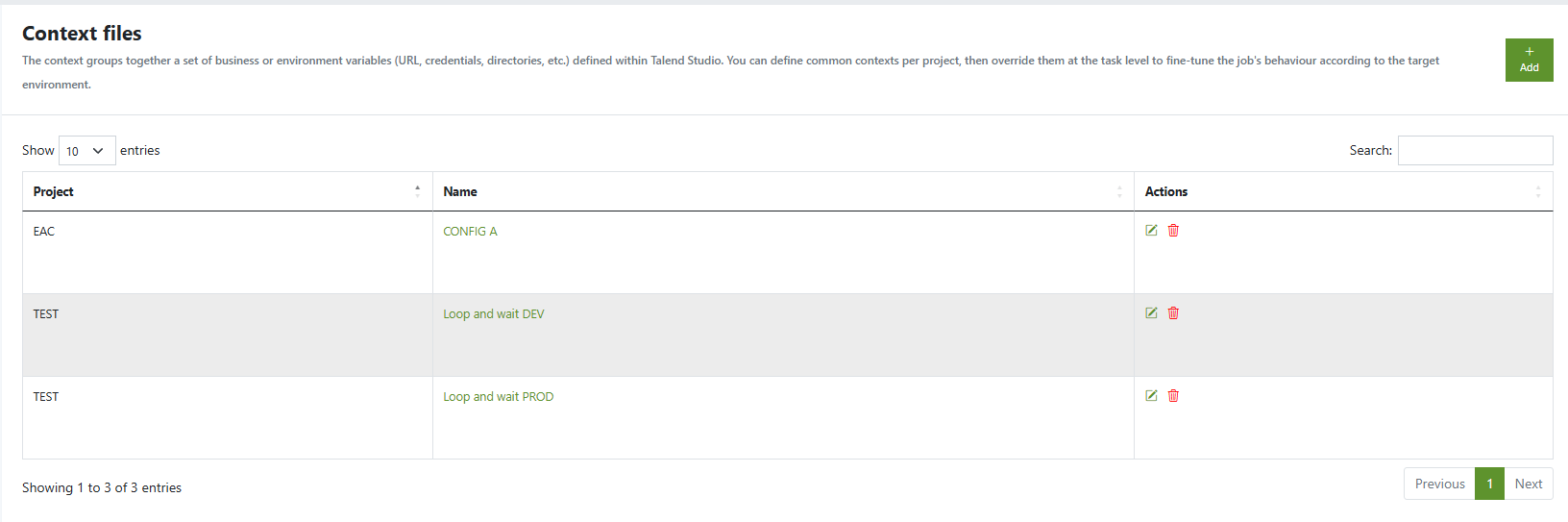
- Format: Talend-style
.properties(UTF-8)
- Spaces are allowed after
=. - Unknown keys (not declared in the job) are ignored.
- Prefer one file per environment.
- Spaces are allowed after
- Attach to tasks: In Task setup, select the Context file group to apply.
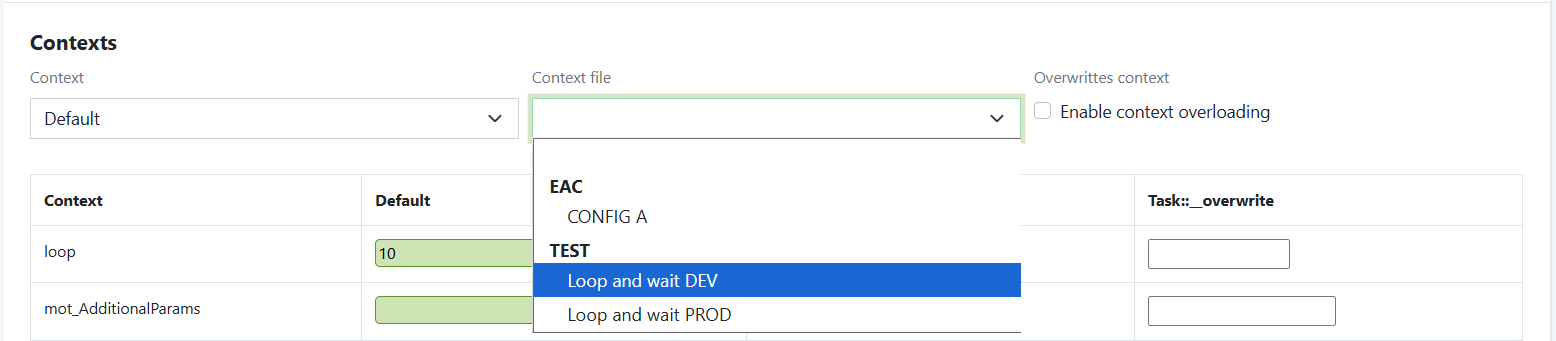
Applying contexts in Task setup
Open Tasks → {Task} → Task setup to configure:
- Talend environment (context) to run with:
Default | dev | test | prod | … - Context file group (optional): link a centralized file to override job values.
- Task overrides (optional): add/modify individual key/values for this task only.
You’ll see a preview of the effective context with green highlights on applied values.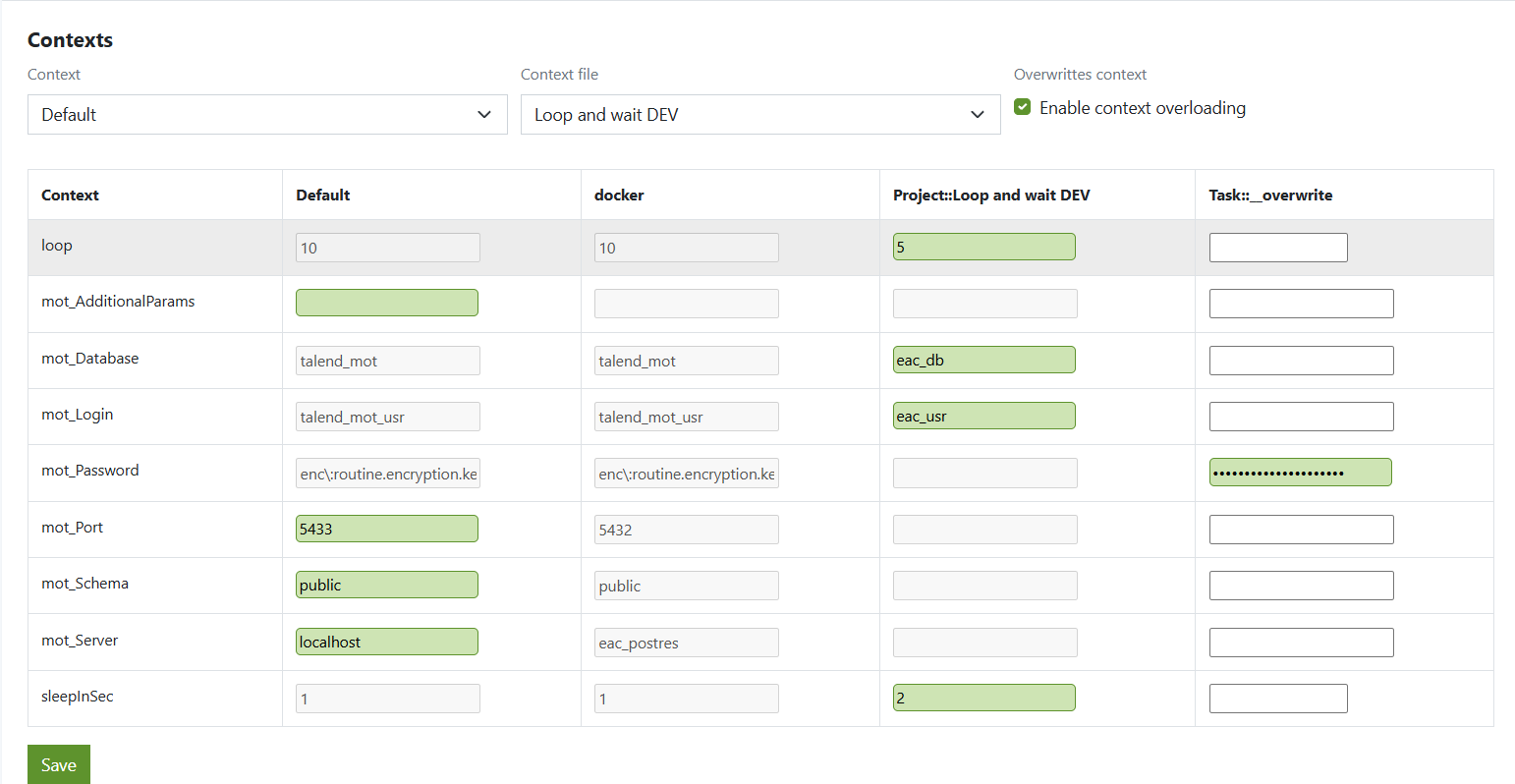
Keep overrides minimal: add only what must differ for this task.
Execution details
Every run captures the context snapshot used to launch the job:
- Open Tasks → {Task} → Last executions → {Execution}.
- The header and logs remind the Talend env, any context file applied, and overrides.
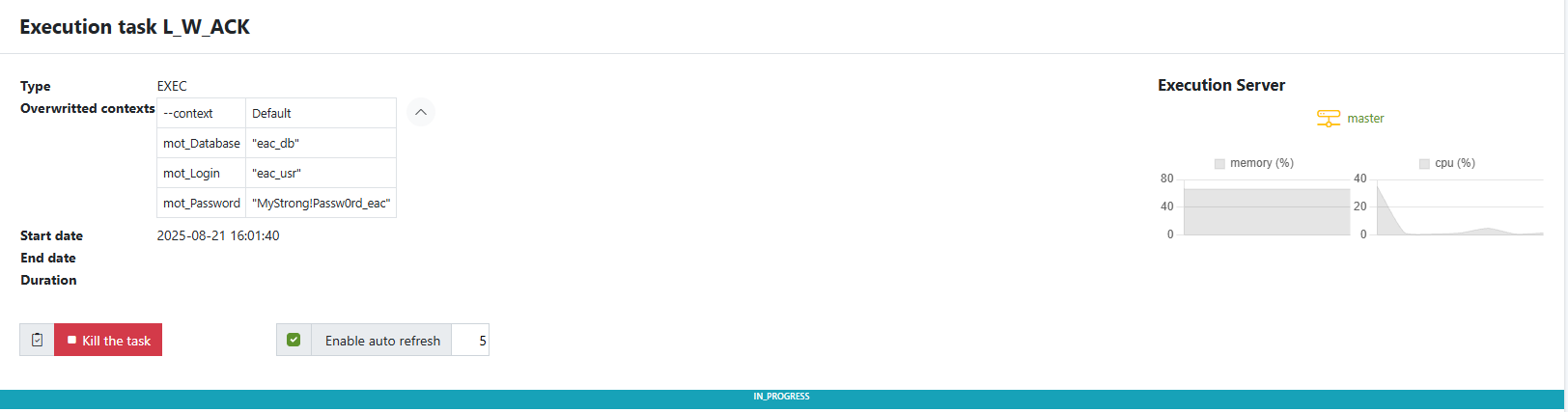
This is essential for auditability and post-mortems.
Best practices
- Define once, reuse widely
Put shared values in context files (per project/environment). Use task overrides sparingly. - Name clearly
projectA-dev.properties,projectA-prod.properties, etc. - Separate secrets
Avoid plain-text secrets in files. Prefer vault-backed injection or environment-level secrets; if you must store them, restrict OS permissions. - Keep types stable
Don’t switch a key from string to numeric between envs; Talend components may enforce types. - Version context files
Store under VCS (private repo) and review changes like code. - DRY on overrides
If many tasks share the same overrides, move them up into the context file.
Quick recipes
A) Promote dev → prod with a single job
- Upload
projectA-prod.properties. - In Task setup: set context = prod, link projectA (prod) file.
- Remove any task overrides. Save. Launch.
B) One task, slightly different endpoint
- Reuse the shared prod context file.
- Add one task override:
api.base=https://api.alt.example.com. - Save. Launch.
C) Audit a failed run
- Open the execution detail.
- Confirm Talend env, context file, and overrides used.
- Compare with expected values; adjust in Task setup or update the context file.


