
The Auto Retry functionality allows a task to be automatically re-executed when a previous execution ends with a status ERROR or TERMINATED.
This feature helps improve job reliability by ensuring temporary failures do not require manual restarts.
Configuration
In the “Post process” tab, a new Retry auto section has been added.

Here, users can configure:
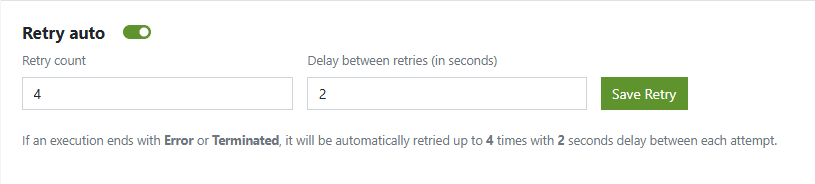
- Retry count → number of times the system should retry the task
- Delay between retries (in seconds) → waiting time between two retry attempts
If a task ends in ERROR or TERMINATED, it will automatically be retried according to these settings.
Execution Flow
When an execution fails:
- A new retry execution is automatically queued.
- The retry execution keeps the same Identifier but is shown as a new Execution ID.
- The system logs clearly show the relationship between the initial task and its retry executions, including the sleep duration applied based on the configured retry policy.
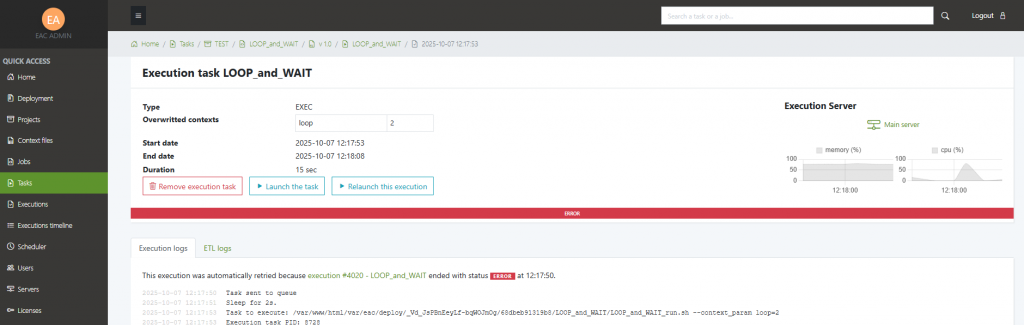
- On the initiating task, you can see the list of all related executions (the initial one and all retries) at the bottom of the page.

Next see Worflows.


