2–3 minutes
Overview
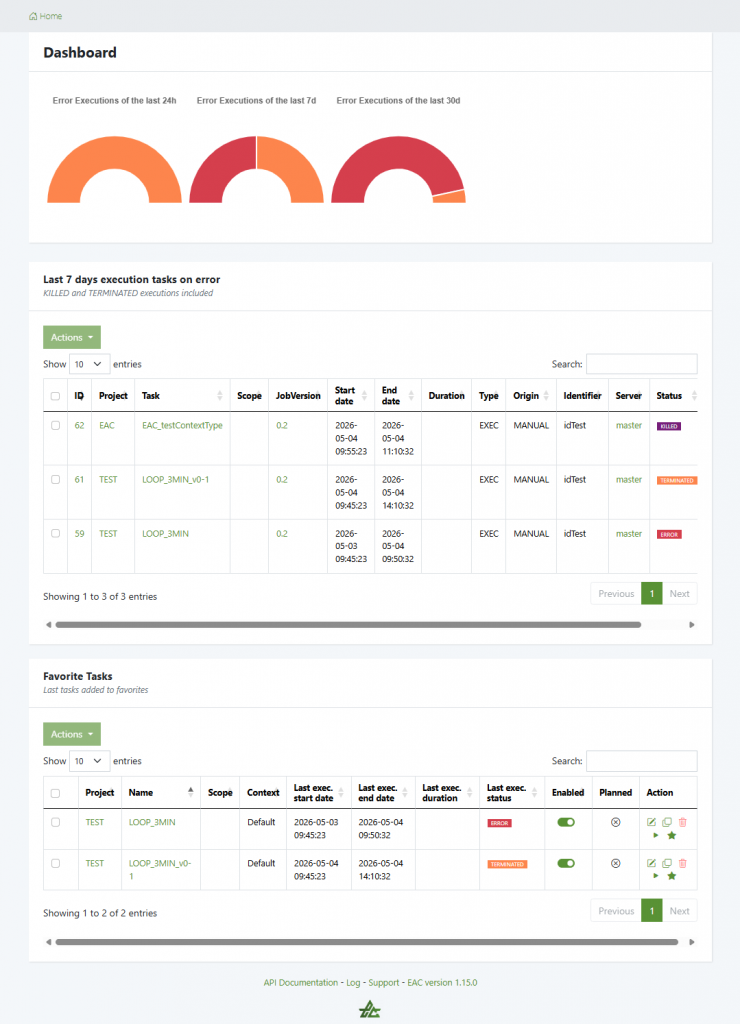
- EAC Home page offers an operational dashboard of recent task execution errors and provides access to the connected user’s favorite tasks. It is designed as a first screen for daily monitoring.
- You can check execution fails, identify concerned tasks, open relevant executions for deeper analysis.
- It is divided in three parts : Error execution gauges, Last 7 days tasks in error and user favorites tables.
Error Executions Gauges
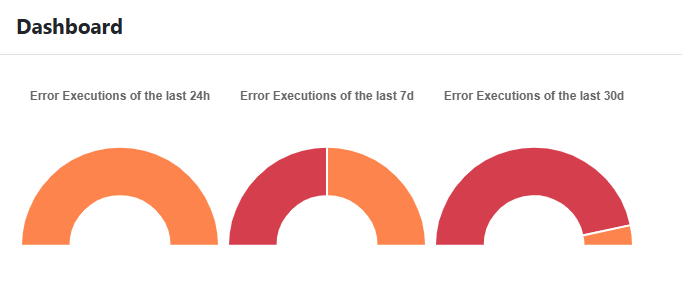
At the top of the dashboard, EAC displays half-donut gauges showing recent executions that ended in errors.
They are grouped by periods:
- Errors in the last 24h
- Errors in the last 7 days
- Errors in the last 30 days
Gauges color help identify error types:
| ORANGE | RED |
| ‘TERMINATED’ | ‘ERROR’ |
Use these to quickly detect if failures are isolated or if they increase over time.
Last 7 days execution tasks on error
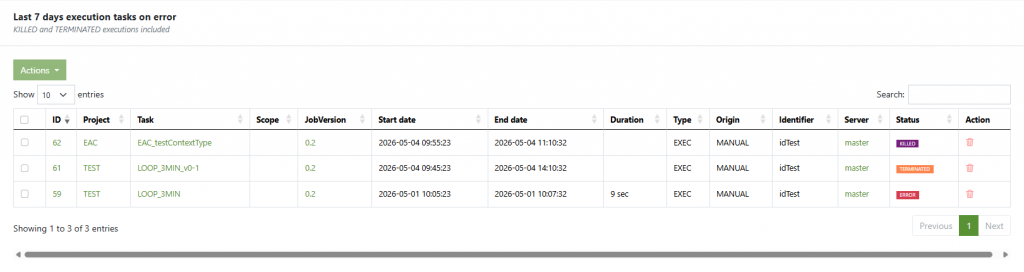
This table gives you quick access to the last execution tasks that failed within the last 7 days. KILLED and TERMINATED error statuses are included in this table.
Available information:
- ID — Task ID
- Project — Project related to the executed task
- Task — Name of the task that was executed
- Scope — ///
- JobVersion — Semantic/Talend job version (e.g.,
0.1,0.2,1.0). - Start date — The exact date and time when the task was launched
- End date — The exact date and time when the task ended
- Duration — Execution duration
- Type — ///
- Origin — Way the task was launched (Manually, automatically)
- Identifier — ///
- Server — Execution server on which the task ran
- Status — Final execution status
- Action — Remove the task from the database
Search, pagination and column sorting are available.
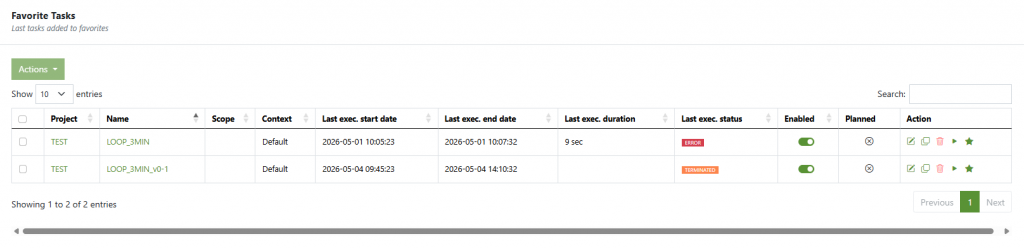
Favorite tasks
The table lists tasks added to the user’s favorites. Useful for accessing recurring, critical or frequently monitored tasks.
Available information:
- Project — Project related to the executed task
- Name — Name of the task that was executed
- Scope — ///
- Context — Talend context with specific variables if any.
- Last exec. start date — Date and time of the last execution
- Last exec. end date — Date and time of the last execution end
- Last exec. duration — duration of the last execution
- Last exec. status — Last status of the task
- Enabled — ///
- Planned — Whether or not the task is planned for future launch
- Action —
- Edit task
- Duplicate task
- Remove the task
- Launch the task
- Remove from favorites tasks