
EAC comes with a built-in encryption system to protect your data.
Activate encryption
To activate the encryption system, you must run the command php bin/console eac:generate-encryption-key.
After running the command for the first time, you will need to pass the argument --force at the end of the function to overwrite a key and generate a new one.
Note: If you overwrite an existing key, all previously encrypted data will not be able to be decrypted anymore, please proceed with caution when using the command.
Usage
Once activated, you can use the encryption in:
- Task setup:
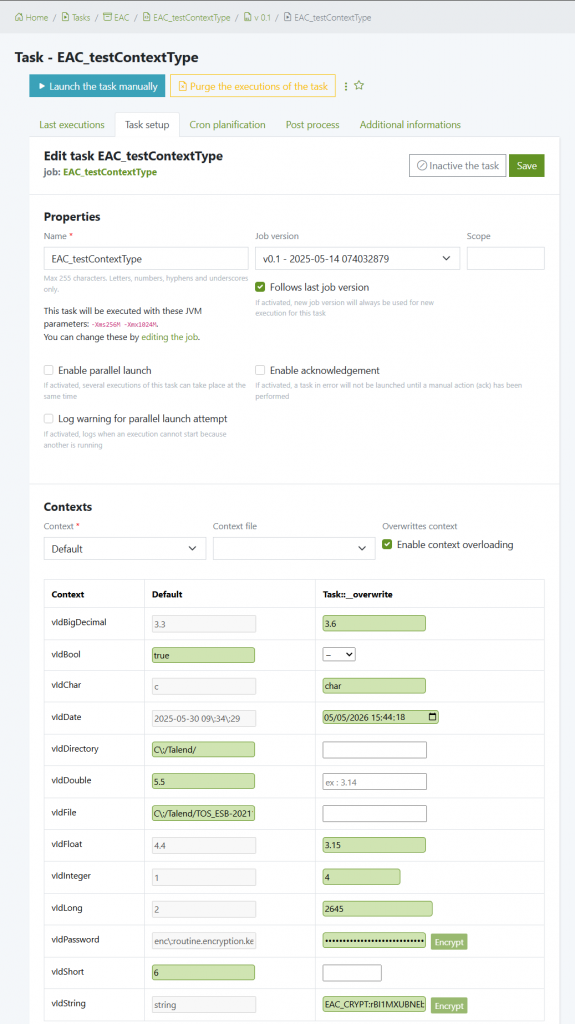
When writing a variable to overload, you will have access to a ‘Encrypt’ button that will automatically encrypt your data. Then press ‘Save’ to save the context configuration. All your data will be safely stored crypted, and automatically decrypted only when launching a task.
- Context files
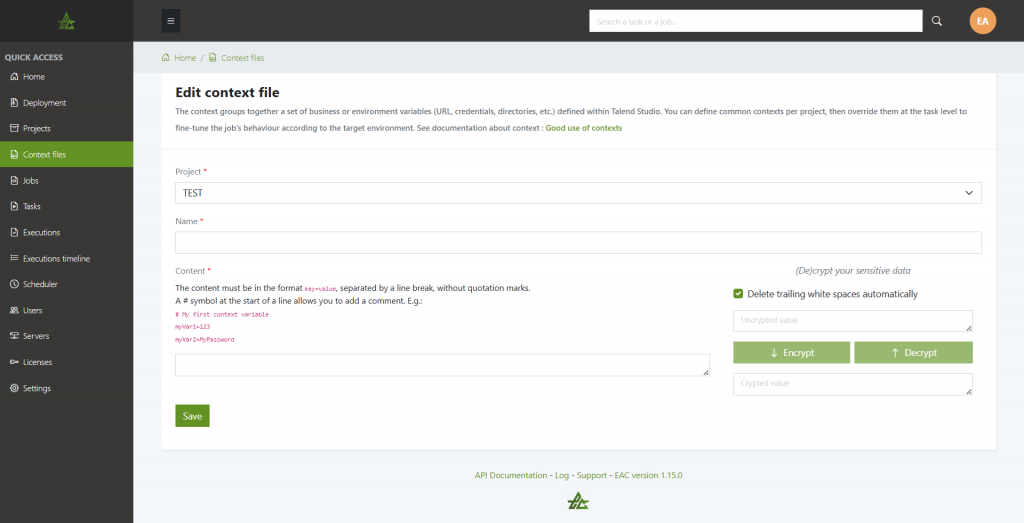
If you create a new context file or edit an existing one, you will have access to a crypt/decrypt system.
Trailing white spaces are automatically removed by default but you can change this behavior if you need to keep them in your context files with the checkbox.
Encrypted values are automatically copied in the clipboard to be pasted in the context area.
Note: Only users with role admin can decrypt values.


